Since before COVID, I had been using a smartphone for more than three years, and burn-in had started to appear on the display, so I decided to change phones.
I spent nearly a month thinking it over because the iPhone 14’s camera performance looked quite good, but as someone who is too accustomed to the Android ecosystem, I had no choice but to choose the Galaxy S23.
After briefly experiencing the performance of this smartphone camera, I felt as if technological progress was making my head spin.
At the same time, compared with the pace of progress in our ethics and philosophy, technology is advancing so quickly that it also felt somewhat unsettling.
Briefly looking at the rear camera setup of the Galaxy S23 Ultra, it is as follows.
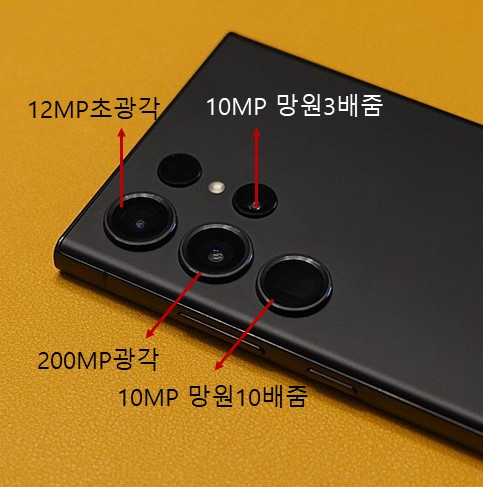
The rear camera consists of four lenses in total: ultrawide, wide, telephoto 10x zoom, and telephoto 3x zoom.
As soon as I opened it from the box, I sat in the treatment room and took some photos just for fun.
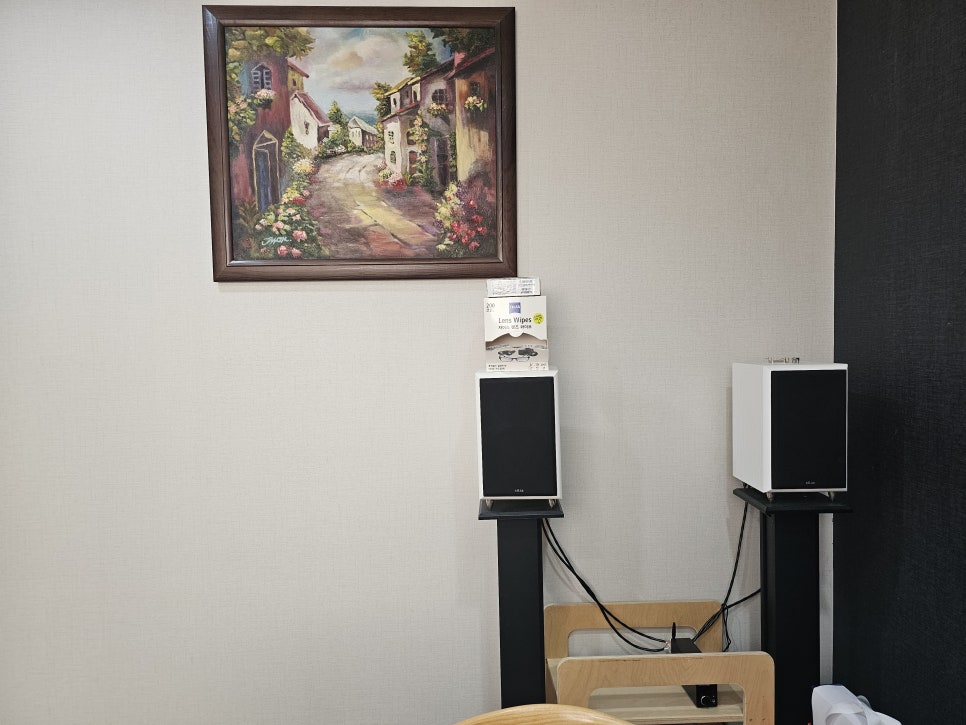
This is a photo taken from where I was sitting, in the camera’s default wide mode.
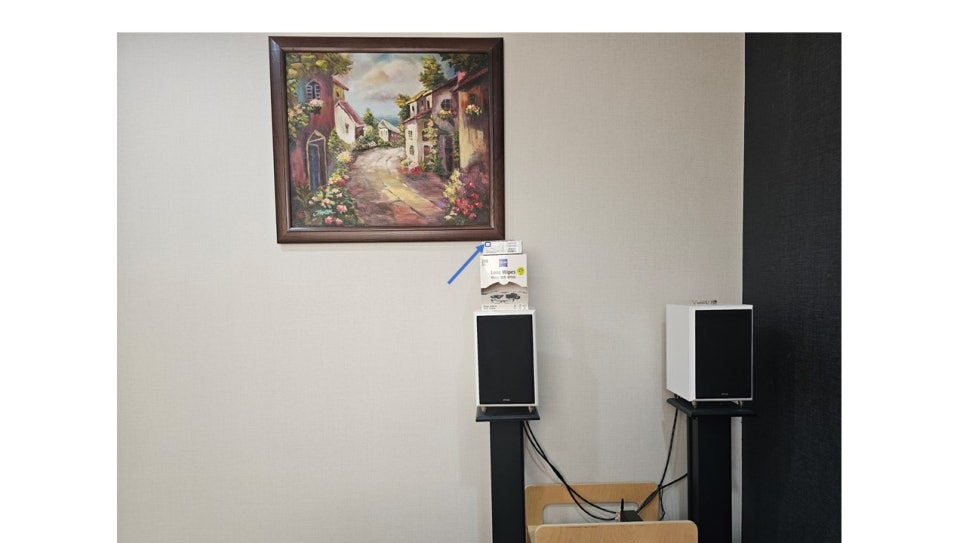
From the same position,
I zoomed in 100x on the small square area in the product box section indicated by the blue arrow in the photo above.
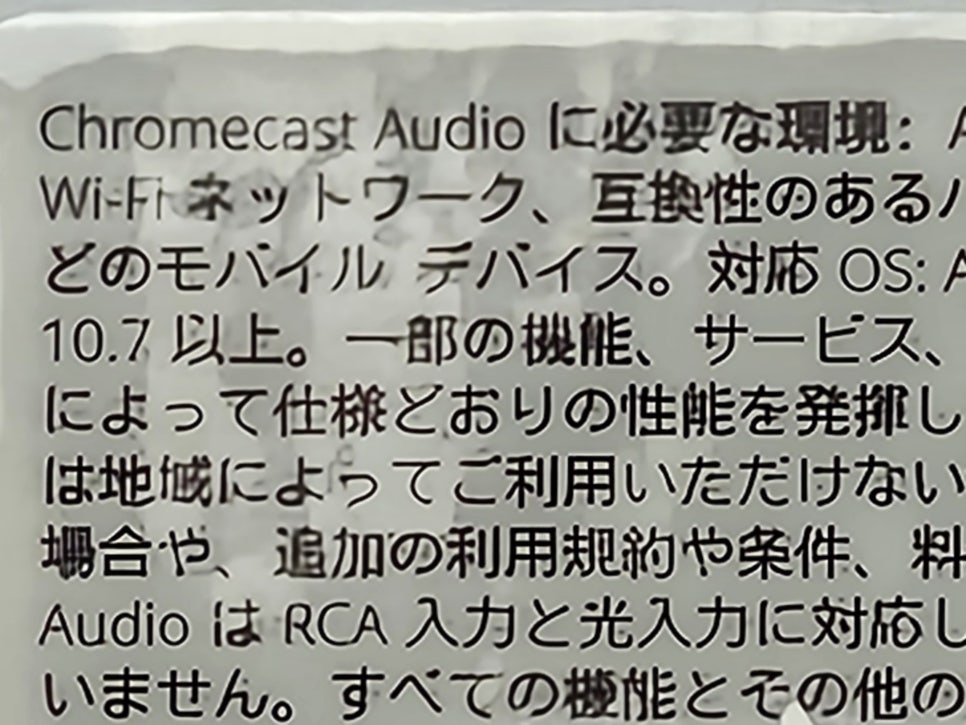
Even from where I was sitting, the text on the product packaging box, which was not visible at all to the naked eye, was stored in the image with enough readability.
Surprised, I picked up the product packaging box shown in the photo and examined it up close.
They were fonts in Japanese that could only be recognized by looking carefully up close in person.
The photos below were taken in default wide mode, 3x zoom, 10x zoom, and 100x zoom.

S23 Ultra wide mode

S23 Ultra 3x zoom mode

S23 Ultra 10x zoom mode
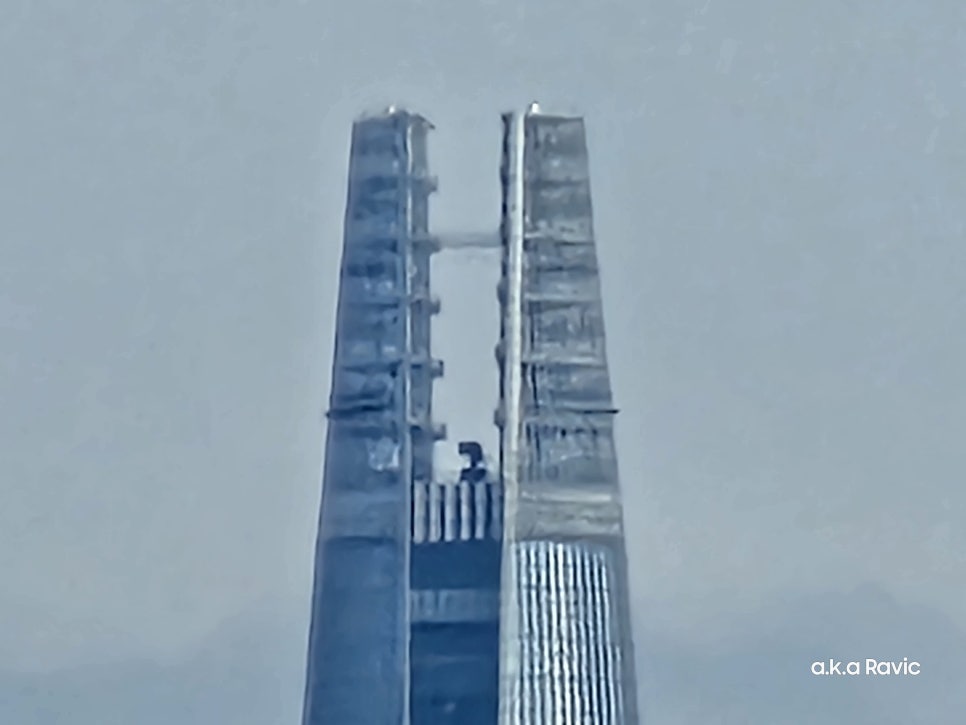
S23 Ultra 100x zoom mode
If you use the Galaxy S23 Ultra with the shooting settings set to Pro mode, the rear camera lets you adjust shutter speed and ISO while each lens keeps a fixed aperture value.
For the default wide lens corresponding to 200 megapixels, the aperture value is F1.7.
For the 12-megapixel ultrawide lens, the aperture value is F2.2.
For the 10-megapixel 3x telephoto lens, the aperture value is F2.4.
For the 10-megapixel 10x telephoto (Super Tele) lens, the aperture value is F4.9.
To make better use of the S23 Ultra camera performance, it may also be good to try Expert Raw mode.
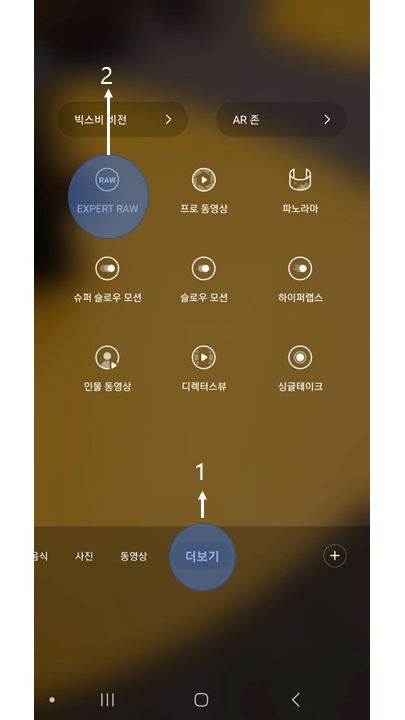
To use Expert Raw mode, you first need to download the Expert Raw app.
After downloading the app, click More in the camera app in step 1, and the Expert Raw menu in step 2 will be activated.
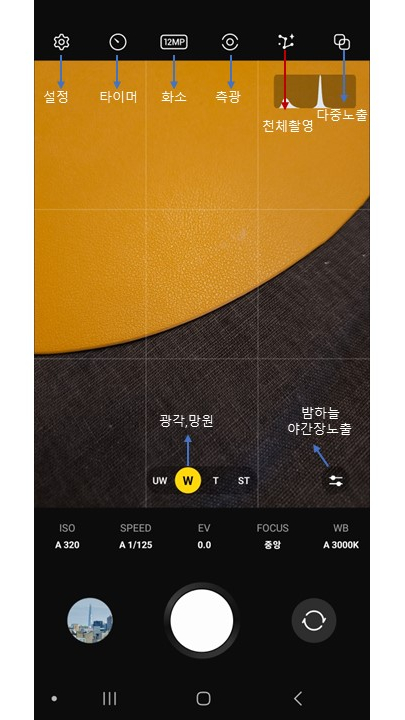
When you enter Expert Raw mode, various menus appear that let you choose astrophotography, night long exposure, multiple exposure, and metering methods.
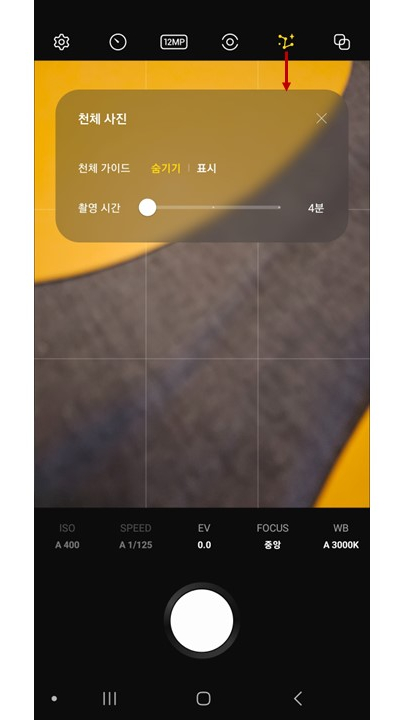
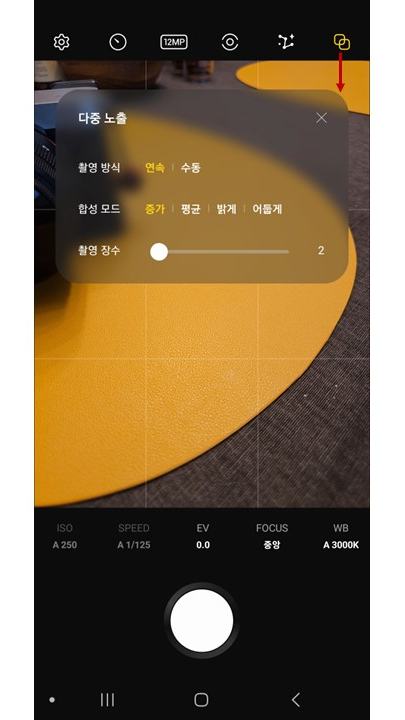
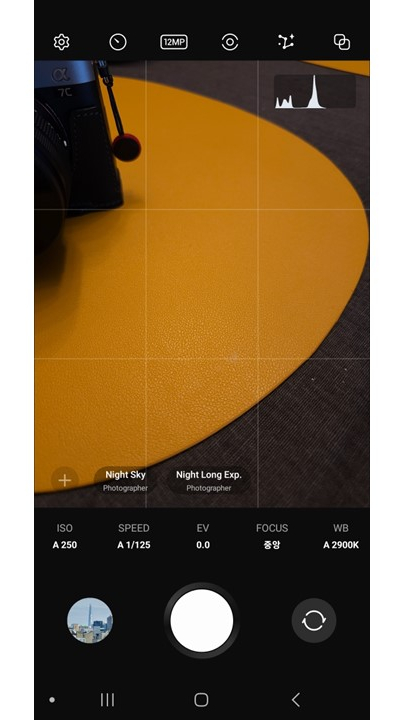
After saving both RAW and JPG files, the same photo was about 30 MB for the RAW file and about 3 MB for the JPG file.
I think more testing is needed to determine whether the RAW-format file has image quality with a meaningful level of editing latitude.
In any case, technological progress is not something to be welcomed without reservation, and from here on, it seems that when it comes to personal privacy,
since it has gone beyond the scope of institutional regulation, the time has come to leave it to our moral maturity.
I think the review above is highly subjective and unprofessional, but I would like to make it clear that this is a brief usage review based on a product I purchased myself and actually used in real life.