There may be cases where you need to set your smartphone camera to silent mode within permitted environments and limits.
From my perspective, there are situations where this is necessary—for example, when I am filming a simple introduction video, taking photos with a smartphone while shooting video with a mirrorless camera, or capturing stills of a lecture during a small group meeting.
In such cases, let’s look at a relatively useful way to set a silent camera.
"Of course, this method changes the camera shutter sound to silent only when the camera sound setting is already set to silent or vibrate mode."
"Also, if the smartphone software is updated, you will always need to change the settings again."
- The first thing you need to prepare is,
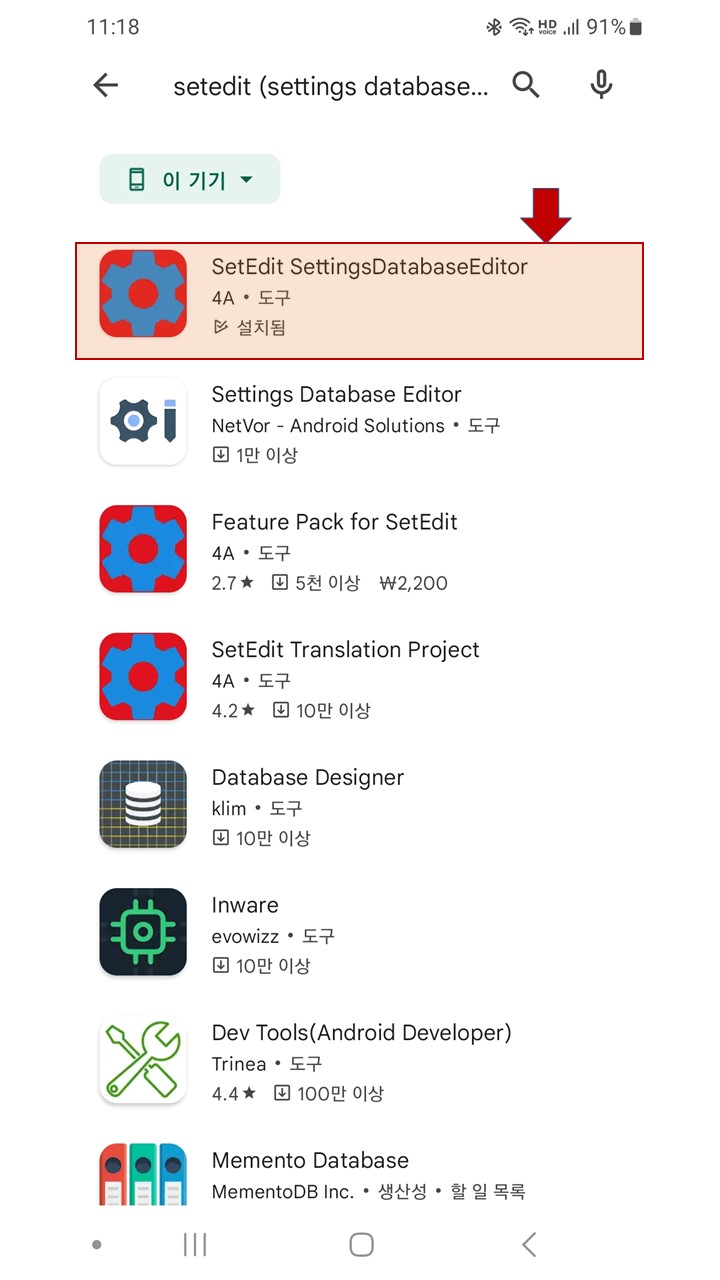
as shown in the image below, from Google Play Store,
is to download an app called "setedit SettingDatabaseEditor."
- After installing the downloaded app on your smartphone, run the app.
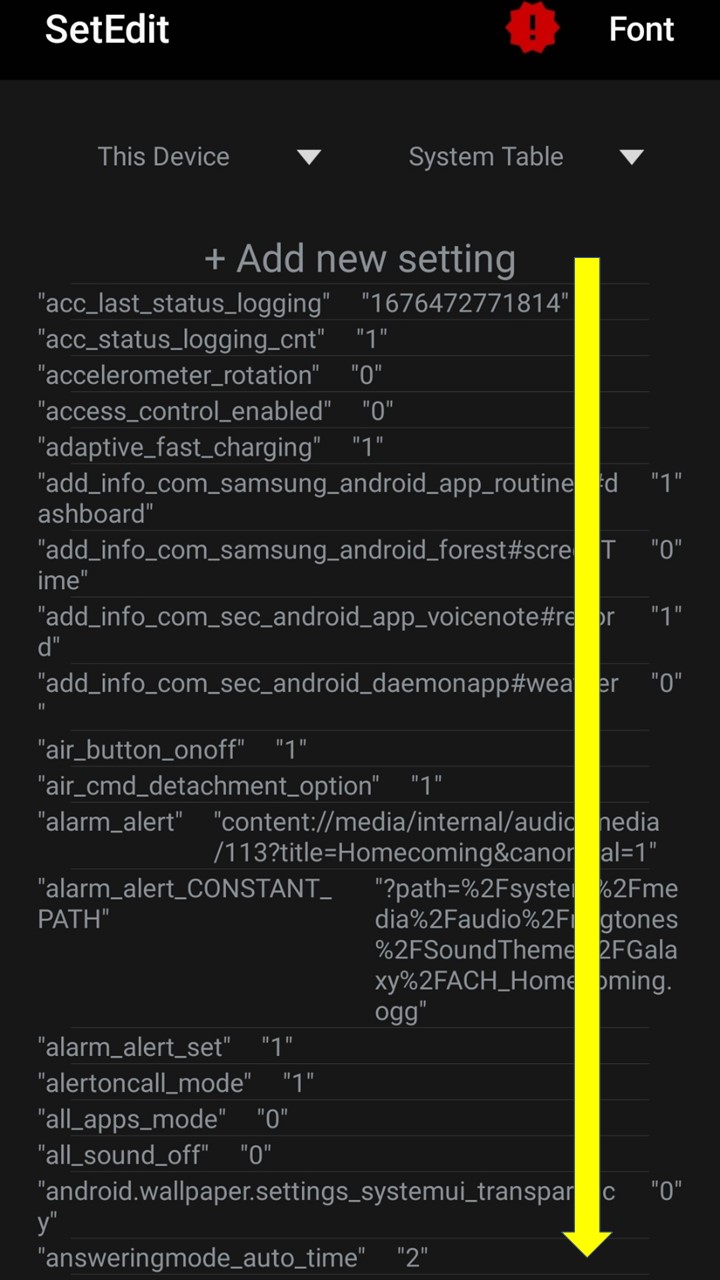
When you run the app, a text editor screen like the one below will appear.
On this screen, scroll all the way down and find the item
"csc_pref_camera_forced_shuttersound_key" "1"
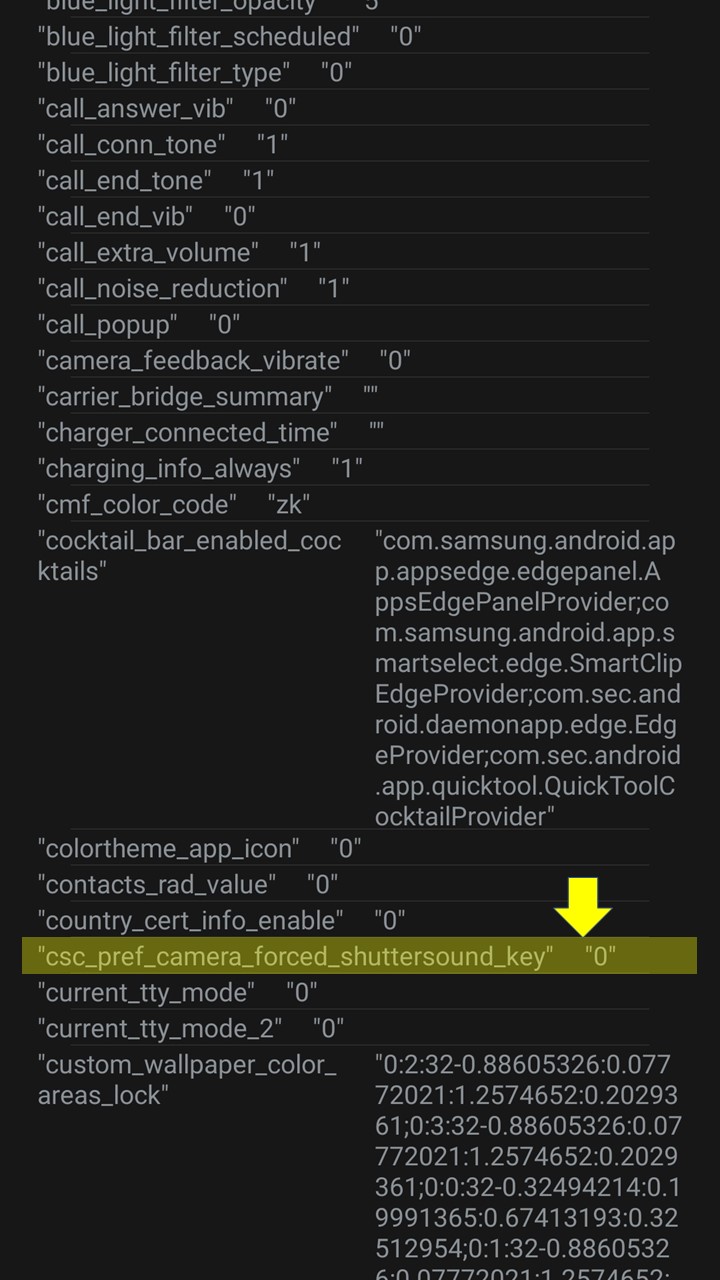
- If you scroll down on the screen above,
an item labeled
"csc_pref_camera_forced_shuttersound_key" "1"
will appear.
- Click the item labeled "csc_pref_camera_forced_shuttersound_key" "1"
(I have already set it to silent, so the value is already "0".)
- When you click the item labeled "csc_pref_camera_forced_shuttersound_key" "1", you will enter a mode where you can edit the value, as shown in the screen below.
(I have already set it to silent, so the value is already "0".)
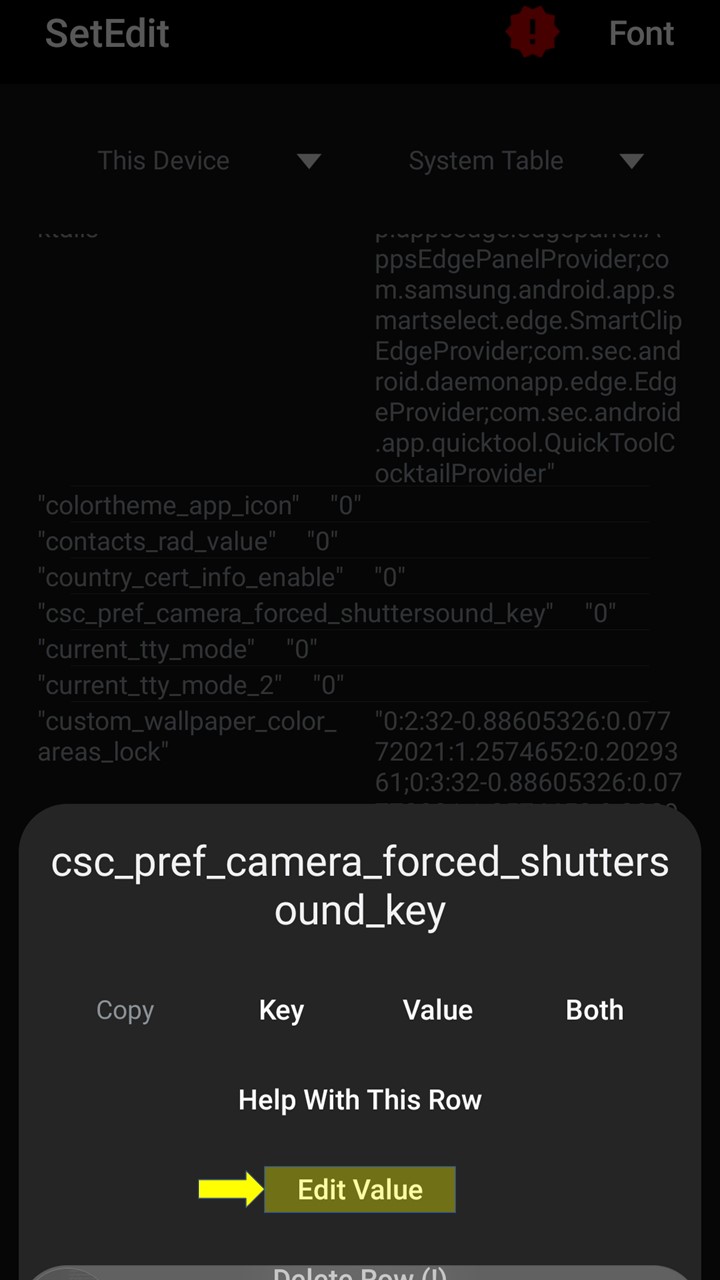
- On the screen above, click Edit Value, change the setting to 0, and save it to complete the setup.