This is how to save Tidal streaming audio as lossless audio files.
First, download the executable file that matches your OS environment from GitHub.
The GitHub link for the file I downloaded is currently blocked, so if anyone needs the file, please request it from me and I will share it individually.
(I attached the download link at the very bottom of the post.)
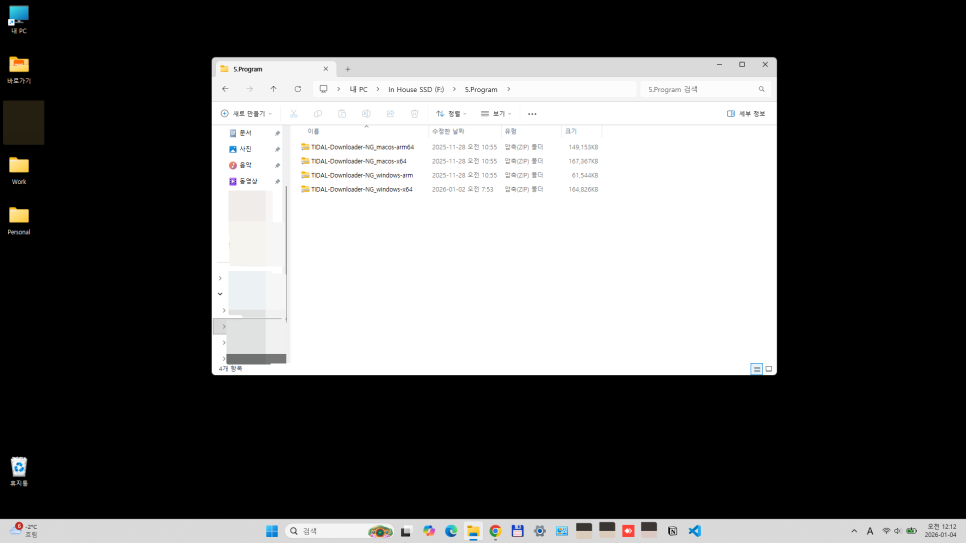
Files downloaded from GitHub

In my case, I tested both Windows-arm and Windows-x64 on separate PCs, and they worked well.
Unzip the file downloaded above (choose the OS appropriate for your PC environment) and then run it.
When you click the executable file, a window like the one below appears.
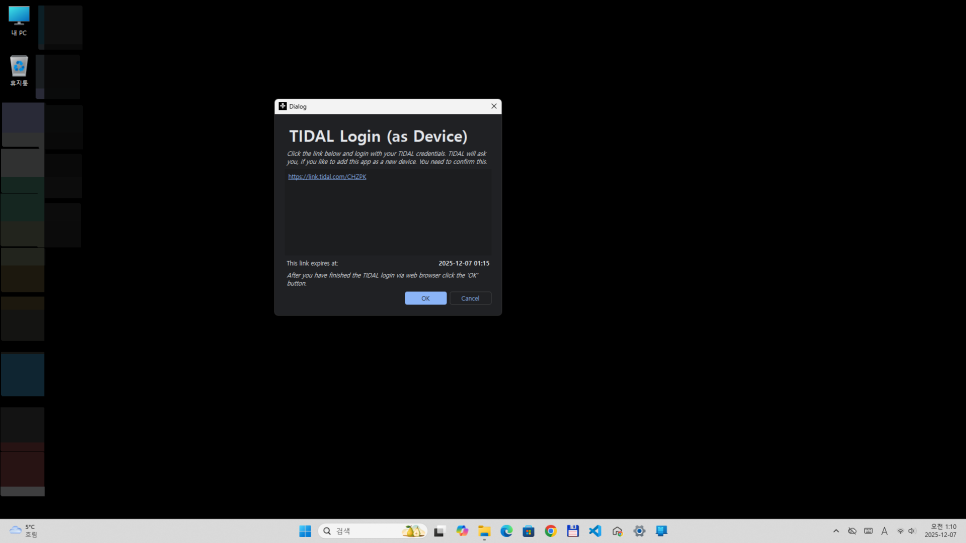
If you click OK in the dialog box above,
a new window like the one below appears (Tidal site login).
If you enter your email address or user name in the Tidal login window below and proceed with login,
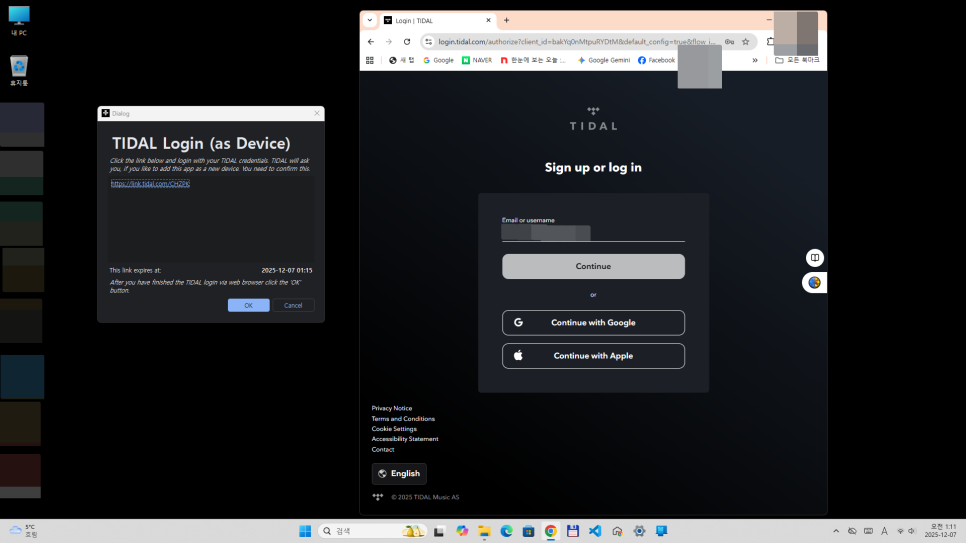
a window like the one below appears (Link your device to~~~).
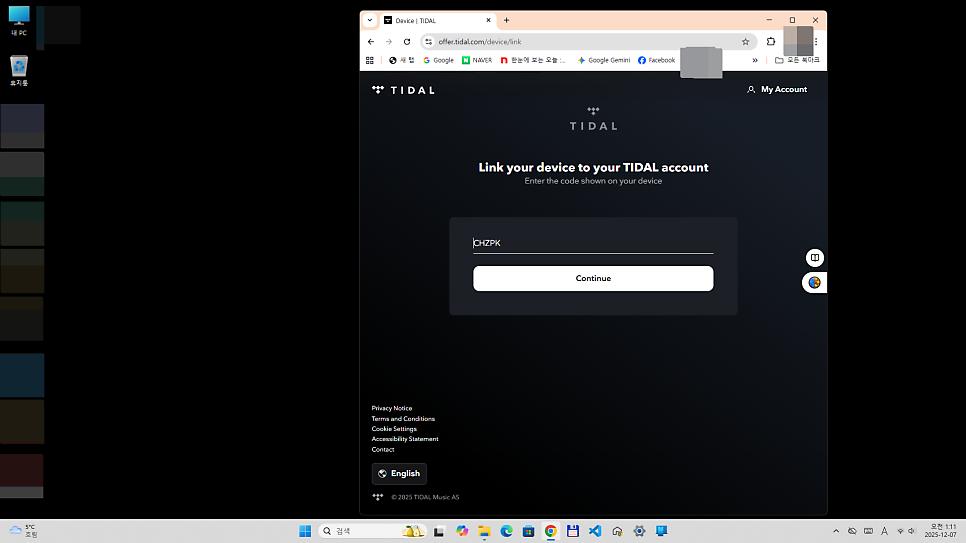
If you click Continue in the window above,
as shown in the image below, a message saying "Your device was successfully linked to your account" appears.
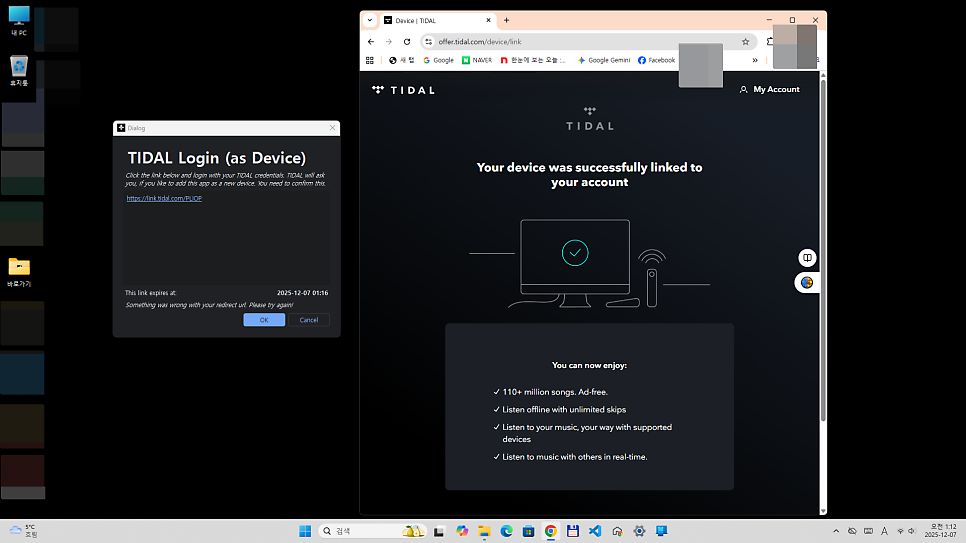
Now, all preparations are complete.
If you click your playlist shown in the left column, the track list appears in the middle column, and after selecting the Audio/Video format you want to download and clicking the Download button, the download progress is shown in the right column.
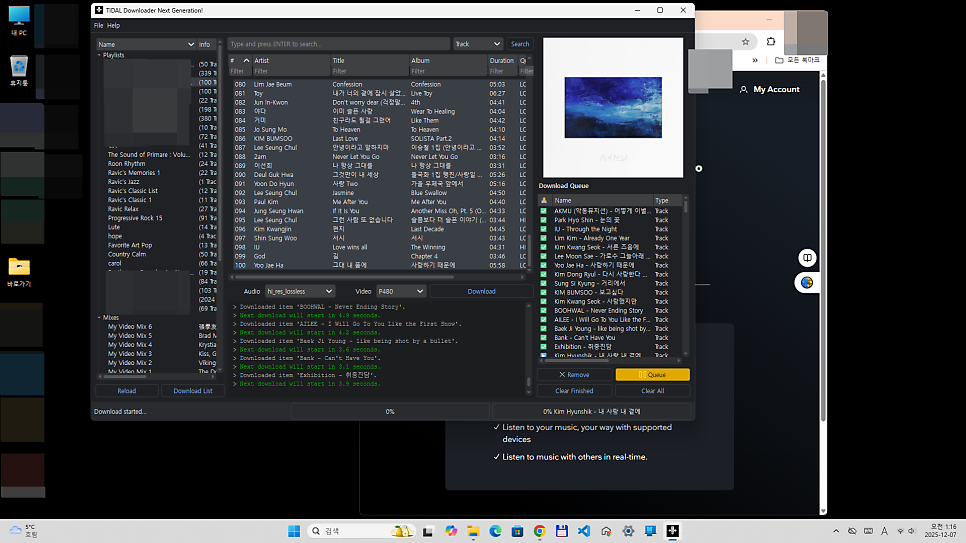
I subscribe to Tidal, and I use it to listen to music from my personal playlists that I stream, in private spaces without internet access or through a USB drive in my car.
Please use it for personal purposes only, and I hope it can help you enjoy a happy and enjoyable music-listening life.
[Additional]
Many people are requesting the executable file, and I apologize for taking a long time to reply,
so I am attaching the Tidal download file link.
In addition to the Tidal download file, there is also a FLAC to MP3 conversion file and a file that extracts only the audio from YouTube videos as MP3 audio. Please download and use the appropriate file according to your needs.
https://drive.google.com/drive/folders/1J3fY13dAbw7C13a8P5DsBH0umflJdhQg?usp=sharing